> For the complete documentation index, see [llms.txt](https://docs.motion4sim.com/llms.txt). Markdown versions of documentation pages are available by appending `.md` to page URLs; this page is available as [Markdown](https://docs.motion4sim.com/software/motionsystem.md).
# Motionsystem
The motion-cueing engine — reads game telemetry, applies your profile, and drives the rig.
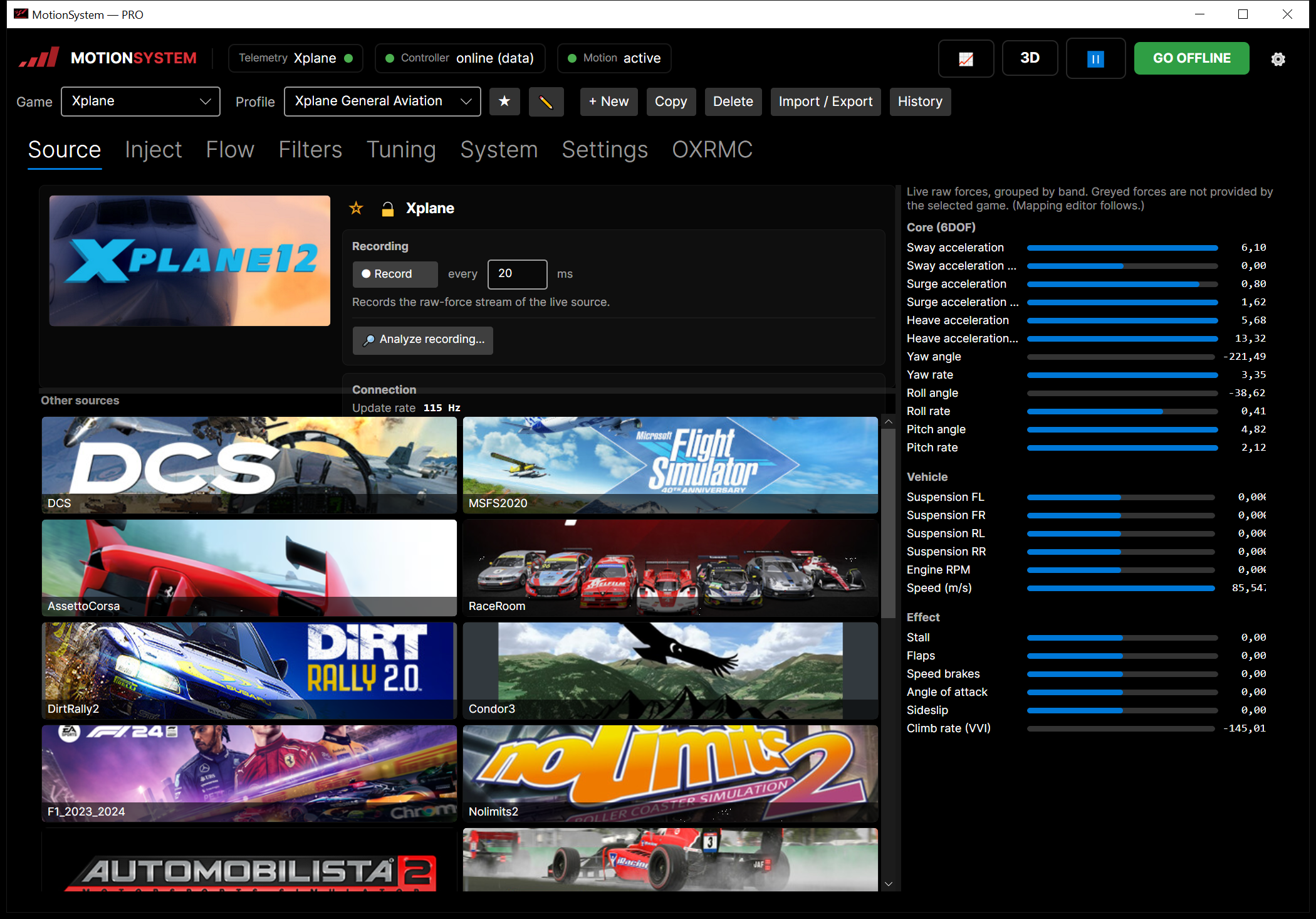
The **Motionsystem** is the motion-cueing engine. It reads telemetry from games and simulators, runs it through the active **profile** (mapping + filters), and drives the rig through the controller. You normally launch it from the Dashboard with the **Motion** button.
## The top status bar
| Element | Meaning |
| -------------------------------------- | ---------------------------------------------------------------------------------------------------------------------------------------- |
| **Telemetry** *(name ●)* | The active source (game) and whether data is arriving (green dot). Click it for the [telemetry chart](/software/motionsystem/source.md). |
| **Controller** | Link state to the controller — e.g. *online (data)*. |
| **Motion** | Derived motion state — e.g. *active*. |
| **📈** | Opens the live telemetry chart *(PRO)*. |
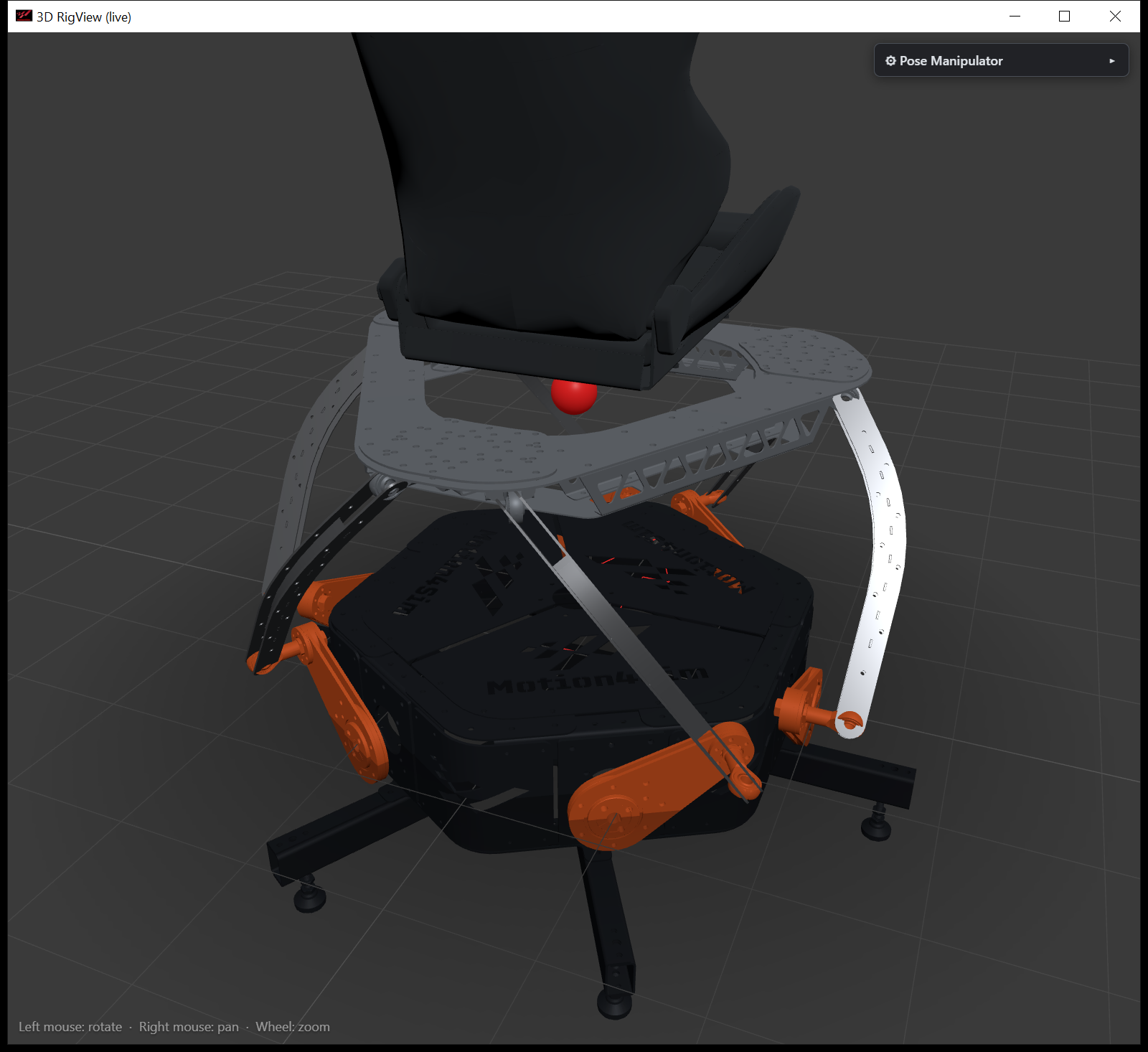
| **3D** | Opens the live [3D rig view](#windows) *(PRO)*. |
| **⚙** | Opens the [app settings](/software/motionsystem/app-settings.md). |
| **GO ONLINE / GO OFFLINE / RECONNECT** | Bring the rig online, park it, or re-establish the link. |
| **Pause** | Freeze the rig at its current pose (hold); amber while held. |
| **🔒 PRO** | Shown on a BASIC license — the premium features are locked. |
## Workspace tabs
The work area is organized in tabs — each has its own page:
Which game a profile is for — and what a title needs before it delivers data at all — is on [Supported games & simulators](/software/motionsystem/supported-games.md).
| Tab | Purpose |
| ------------------------------------------------------ | -------------------------------------------------------------------------------- |
| [Source](/software/motionsystem/source.md) | Pick the game, watch live raw forces, record |
| [Inject](/software/motionsystem/inject.md) | Feed synthetic motion: Manual · Generator · Playback *(PRO)* · Spike Lab *(PRO)* |
| [Flow](/software/motionsystem/flow.md) | Live signal path of one slot *(PRO)* |
| [Filters](/software/motionsystem/filters.md) | Raw filter editing — Forces / Pose / Effects / Output *(Expert)* |
| [Tuning](/software/motionsystem/tuning.md) | The everyday tuning matrix |
| [System](/software/motionsystem/system.md) | Automatic behaviour, controller settings, center of rotation |
| [Settings](/software/motionsystem/profile-settings.md) | Per-profile options — transitions, input-limit defaults, safety-preset numbers |
| [OXRMC](/software/motionsystem/openxrmc.md) | VR motion compensation |
{% hint style="success" %}
**Start here:** [How motion flows through a profile](/software/motionsystem/motion-flow.md) explains the pipeline and the standard filter schema that the whole app — especially the Tuning tab — is built around, and [How the platform should move](/software/motionsystem/platform-motion.md) explains which way each channel drives the rig and why that matches the real car.
{% endhint %}
## Windows
Several tools open in their own window: the **telemetry chart** (📈), the **3D rig view** (3D, PRO), the [**profile history**](/software/motionsystem/profiles.md#history) and [**community library**](/software/motionsystem/profiles.md#community), and the [**telemetry analysis**](/software/motionsystem/source.md#analysis).
The 3D rig view follows the live pose while you drive (PRO)
## Relation to the Dashboard
The [Dashboard](/software/dashboard.md) owns the controller connection and rig configuration; the Motionsystem owns the motion cueing. The Dashboard launches the Motionsystem and can keep it in the tray.
---
# Agent Instructions
This documentation is published with GitBook. GitBook is the documentation platform designed so that both humans and AI agents can read, navigate, and reason over technical content effectively. Learn more at gitbook.com.
## Querying This Documentation
If you need additional information that is not directly available in this page, you can query the documentation by asking a question.
Perform an HTTP GET request on the following URL with the `ask` and `goal` query parameters:
```
GET https://docs.motion4sim.com/software/motionsystem.md?ask=&goal=
```
`ask` is the immediate question: it should be specific, self-contained, and written in natural language.
`goal` is what the user is ultimately trying to achieve, the reason they need the answer. Sharing it helps GitBook give you a better, more relevant answer. A goal is most helpful when it describes the outcome the user wants rather than restating the question. For example, with `ask=how do I create an API token`, a goal like `automate deployments from our CI pipeline` lets GitBook tailor the answer to that use case.
The response will contain a direct answer to the question and relevant excerpts and sources from the documentation.
Use this mechanism when the answer is not explicitly present in the current page, you need clarification or additional context, or you want to retrieve related documentation sections.